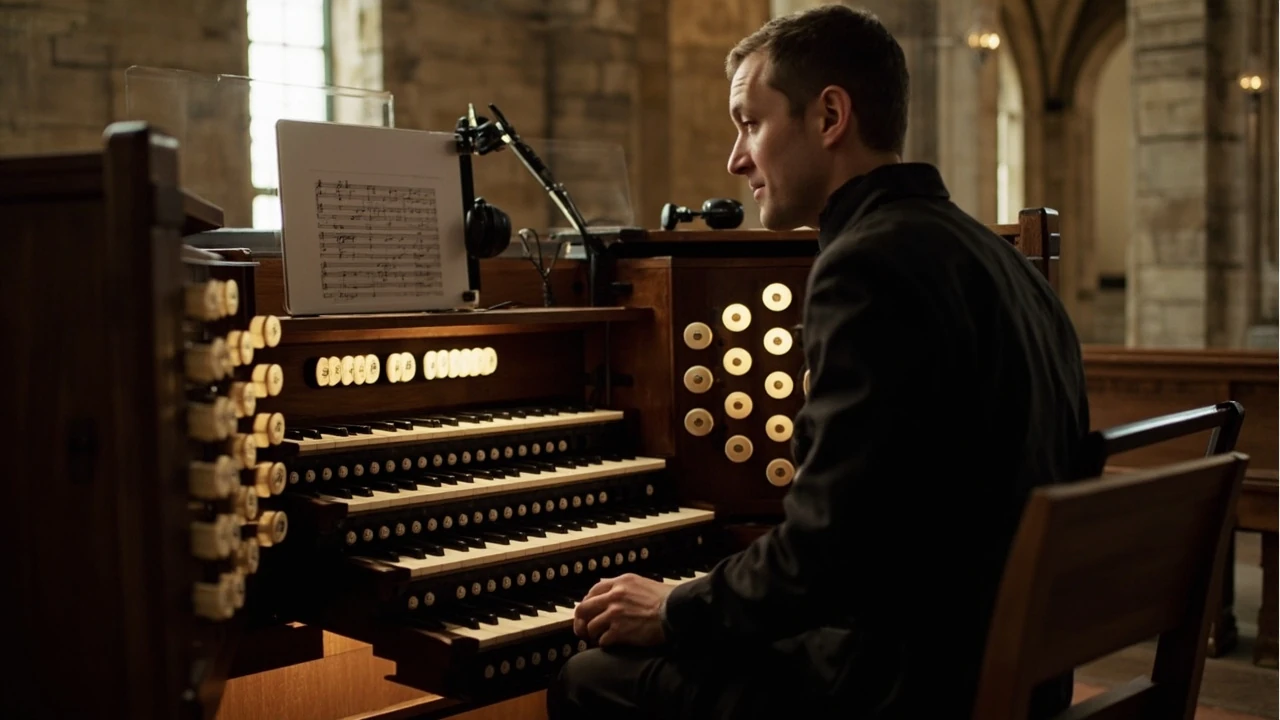
Smart music: a practical overview for organists
An organist preparing a recital on a historic three-manual instrument does not usually think of the console as a “smart” device. Yet the same recital preparation now often involves a tablet running a registration planner, a small clip-on sensor recording the room’s acoustics, and a streaming app that lets a remote coach listen in real time. These connected tools sit at the heart of what the trade now calls smart music: a layer of software, sensors, and networked services that sits between the player, the instrument, and the audience.
For working church organists, conservatory students, and recitalists, the term is less a marketing label than a description of the workflow. Smart music systems capture practice data, suggest stop combinations, sync scores to lighting cues, and feed practice metrics to a teacher in another city. The challenge is that the term covers a wide spectrum of products, from simple metronome apps to full room-analysis rigs, and the organ world has good reasons to evaluate each one carefully before trusting it at the console.
This article explains what smart music actually includes in 2026, how the major categories differ, where the technology genuinely helps an organist’s work, and where the limits and risks still sit. It is written for players who already understand basic organ registration and want to decide which connected tools are worth the learning curve.
What “smart music” means at the organ
Smart music, in the sense used by educators, app developers, and trade press, refers to software and connected hardware that adapts to the performer rather than simply playing back content. For pianists and string players, the term is dominated by apps like forScore, Tonara, and Modacity that listen to a practice session and provide feedback. For organists, the landscape is shaped by the fact that the instrument is a room-sized mechanism with its own electrical and acoustic environment, so smart music in this field tends to combine three layers:
- Score and practice software that handles page turns, fingering hints, registration planning, and metronome work, often on a tablet mounted near the music rack.
- Sensor and audio capture that records what the organist actually does, including stop changes, tempo drift, and room response, and feeds the data back to the player or a teacher.
- Networked services that sync practice logs, stream live audio or MIDI, and connect the player to a teacher, a recording engineer, or a remote congregation.
These layers overlap. A registration planner may pull data from a stop-list template the organist built on a laptop; the stop list may then be pushed to a tablet at the console; the tablet may stream a practice take to a coach in another time zone. The result is a workflow that would have seemed exotic a decade ago and now quietly shapes how a great deal of professional organ practice happens.
Where the technology actually helps
Before listing tools, it helps to clarify which parts of an organist’s workflow are genuinely improved by smart music, because adoption without a clear use case tends to add friction rather than remove it.
Score preparation and registration planning
Registration planning is one of the most cognitively demanding parts of preparing an organ work, especially for repertoire that calls for several different sounds within a single movement. A planner that lets the organist sketch a stop sequence, audition it against a recording of the room, and revise it before the lesson has obvious value. The practical question is whether the planner matches the instrument. Many general music apps use a generic “pipe organ” preset, while organ-specific tools use stop-list families and ranks that map more honestly to the real instrument.
Practice logging and review
A practice log is a long-standing habit among serious students, and smart music tools automate the parts that tend to slip: timestamping sessions, counting repetitions of a single passage, and flagging tempo drift. For an organist, the added value of a connected log is that it can be shared with a teacher, who can then design the next week’s work around what actually happened rather than what the student remembers.
Remote teaching and review
Remote teaching became routine after 2020 and has not gone away. For organists, the technical difficulty has always been the gap between a clear piano image and a faithful organ image; a low-bitrate video call flattens the difference between a 16-foot Principal and an 8-foot Flute. Smart music setups address this by streaming the organ’s line out directly, or by routing a room microphone through a separate audio channel, so the teacher hears the actual registration rather than a compressed phone version.
Acoustic and room feedback
A surprising amount of organ practice happens in rooms the player does not own, and the same registration sounds very different from one church to the next. Smart music tools now include room-analysis apps that measure reverb time, early reflections, and spectral balance, then suggest registration adjustments. They do not replace the organist’s ear, but they shorten the trial-and-error loop in an unfamiliar building.
The main categories of smart music tools
Once the use case is clear, the product landscape becomes easier to read. The table below summarizes the four categories a working organist is most likely to encounter, what each one actually does, and the main limitation to keep in mind.
| Category | Typical products (2026) | What it does for an organist | Main limitation |
|---|---|---|---|
| Score and practice apps | forScore, piaScore, Newzik, Organizer | Page turns, annotation, setlists, registration notes, foot-pedal page turn | Generic organ presets; limited registration logic |
| Registration and stop planners | Organ registration templates, Hauptwerk companion planners, in-house organbuilder apps | Build a stop sequence for a specific instrument, save it as a template, push to a console tablet | Quality depends on the stop database; some instruments are not represented |
| Sensor and audio capture | Clip-on MIDI sensors, room microphones, audio interfaces, smartphone SPL meters | Capture practice, record the room, send audio to a teacher, measure acoustics | MIDI capture on a pipe organ is indirect; acoustic capture needs a quiet venue |
| Networked services and platforms | Teacher dashboards, streaming hubs, repertoire databases, church broadcast tools | Sync logs, host remote lessons, broadcast services, store repertoire notes | Privacy, account management, and recurring subscription cost |
These four categories overlap in practice. A weekly lesson workflow might pull in all of them: a score app on the tablet, a registration template built the night before, a room microphone left running during the lesson, and a teacher dashboard that stores the recording. The real decision is not which app to buy but which combination of these layers the organist can sustain without the workflow collapsing under its own weight.
How the connected workflow changes at the console
Smart music is most visible during a working day at the organ, when the tablet, the sensor, and the network all have to behave predictably. The sequence below is a typical pattern for a recital preparation session, and it shows where each layer actually earns its place.
- Open the score on the tablet at the console, with the registration notes for the first movement already attached to the relevant bars.
- Audition the planned registration on the actual pipes, and adjust either the plan or the playing based on what the room is doing that morning.
- Run a practice take while the room microphone and the tempo app record, so the organist can review the take after lunch without having to play the movement again.
- Send the take to the teacher through the teacher dashboard, with a short written note about which passage the practice was aimed at.
- Revise the registration the next morning based on the teacher’s comments and a fresh listen in the room, and save the revised plan against the score for the next recital.
The reason this sequence is worth describing in detail is that it shows the difference between smart music in name and smart music in practice. A setup that handles all five steps reliably removes a real amount of friction. A setup that handles three of them and disrupts the other two is usually a net loss, because the organist is paying a cognitive cost to manage the technology rather than the music.
What to check before adopting a new tool
Trade reviews of smart music apps tend to focus on features, but the practical questions for an organist are different. The list below is the set of checks an experienced player tends to run before committing to a new tool, and it applies whether the tool is a free metronome or a full console management system.
- Does it run on hardware that survives the organ loft? Tablets and phones near a pipe organ face drafts, temperature swings, and the occasional dropped candle; rugged cases and reliable charging matter more than screen size.
- Can it work offline? Many church buildings have unreliable Wi-Fi, and a tool that stops working when the network drops will not be used after the first bad Sunday.
- Does the registration model match the real instrument? Generic organ presets that list “Flute 8” and “Strings 16” without naming ranks or wind pressure will mislead more than they help; an organist who already understands the voicing of the pipes will spot a poor match quickly.
- Who owns the practice data? A teacher dashboard that stores recordings is convenient, but the organist should know whether the recordings can be exported, deleted, or kept private from the institution.
- What happens at the end of a subscription? Some services lock the score annotations, the registration templates, or the practice history behind a paid tier, so the data is not really the user’s.
- Does it help the actual repertoire? A metronome that can handle a Baroque siciliano is more useful than a smart accompaniment engine that only knows jazz standards.
A useful rule of thumb is to adopt one new smart music tool per term, run it through a full rehearsal cycle, and decide before the next one. Tools that survive two full cycles tend to stay; tools that cause friction during a high-stakes week tend to be quietly abandoned.
Smart music and the organbuilder’s craft
Smart music is sometimes discussed as if it were separate from the instrument, but in the organ world the two have always been linked. The stop knob, the combination piston, the swell pedal, and the modern sequencer are all forms of mechanical and electrical memory that the organist uses to manage a complex instrument. The new connected tools are a continuation of that history, not a break with it.
For an organbuilder, the practical implication is that a new instrument is increasingly expected to support the connected workflow without being damaged by it. USB power at the console, a clean line-out from the audio system, a defined place to mount a tablet, and a documented way to interface with a recording system are now reasonable expectations for a mid-sized installation. The best organbuilders treat these as part of the instrument, alongside wind supply and voicing, rather than as extras for the customer to add later.
Limits and honest risks
Smart music tools are useful, but they have limits that a careful organist should not paper over. The list below is not a warning against adoption; it is a reminder of where the technology still needs human judgment.
- Audio capture is not the same as being in the room. A stereo recording of a pipe organ misses the spatial layout of the pipes, and a teacher listening remotely will not hear the early reflections that the player hears from the console.
- MIDI on a pipe organ is approximate. A clip-on sensor can read the keys and the stops, but it cannot tell the organist how a given combination will balance until the pipes actually speak.
- Algorithms can over-fit to a single metric. A practice log that scores “tempo stability” can push a player toward a metronomic reading of a piece that should breathe, and the metrics can quietly become the goal.
- Privacy and copyright are not solved. Recording a service and streaming it to a remote congregation raises questions about consent, music licensing, and the storage of audio that contains identifiable voices.
- The cost of subscription creep is real. A free app, a paid practice tier, a teacher dashboard, a streaming service, and a separate annotation tool can add up to a meaningful annual cost, and the bills tend to grow quietly.
A practical response to these limits is to treat smart music as a layer that supports the player’s craft rather than as a substitute for it. The technology is most useful when it removes small frictions, such as page turns or note-taking, and least useful when it tries to replace the kinds of judgment that only develop at the console over years.
What to look for over the next few years
The smart music field moves quickly, but the direction of travel for organists is fairly clear. The table below sketches three areas where the next round of development is most likely to land, and what a working organist should reasonably expect from each.
| Area | Expected development | What an organist should look for |
|---|---|---|
| Room-aware registration | Apps that measure the actual room and suggest registration adjustments before the rehearsal | An app that documents the room it measured, not a generic church preset |
| Console-side integration | Organbuilders offering native tablet mounts, clean line-outs, and documented audio chains | A builder that treats the console’s connected layer as part of the instrument, not an add-on |
| Privacy-aware teaching | Teacher dashboards with clear retention rules, export options, and consent flows | A platform that lets the player delete a take permanently and export the full log as a single file |
None of these developments is a reason to delay current practice. They are a reason to choose tools that are likely to remain useful as the connected layer matures, and to avoid tools that lock the player into a workflow that will not age well.
A short checklist before the next practice week
The list below condenses the practical advice in this article into a checklist an organist can run through before a new term or a recital cycle. It is meant to be a habit rather than a one-off exercise.
- Pick one smart music tool to add this term, not three.
- Run the tool through a full rehearsal cycle before judging it.
- Confirm that the registration model matches the real instrument.
- Make sure the tool still works when the church Wi-Fi is down.
- Decide where the practice data lives and who can see it.
- Keep a manual fallback for the day the tablet dies.
Smart music is most useful when it disappears into the workflow, the way a well-set combination action disappears into the playing. The aim is to spend the saved attention on the music, not on the tools that helped prepare it.
Frequently asked questions
What is smart music in the context of organ playing?
Smart music in organ playing refers to connected software and hardware that adapt to the performer, including score apps, registration planners, audio capture, and networked services that sync practice data between the player, the instrument, and a teacher.
Do organists really use smart music tools at the console?
Yes. Many working organists now use a tablet at the console for page turns, registration notes, and metronome work, and some also run a separate room microphone and a teacher dashboard during lessons and recital preparation.
Are smart music apps a replacement for traditional practice habits?
They are a supplement, not a replacement. Score apps and registration planners reduce friction, but the core skills of listening, registration, and pedaling still have to be developed at the console.
Which smart music tools are most useful for registration planning?
Tools that use a stop list based on real organ families and ranks are more useful than generic metronome or piano apps. The best registration planners let the organist save a plan against a specific instrument and reuse it across recitals.
Can a smart music setup actually stream a pipe organ faithfully?
A direct line-out from the organ’s audio system, or a clean room microphone, can stream a pipe organ well enough for a remote teacher. A phone or laptop microphone in the building is usually not enough, because it flattens the differences between stops.
What are the main risks of using smart music tools?
The main risks are subscription cost, privacy of practice recordings, over-reliance on metrics such as tempo stability, and the gap between what a recording captures and what the player hears at the console.
How does smart music relate to organbuilding?
Smart music is a continuation of the organ’s long history of memory systems, from combination pistons to digital sequencers. Modern organbuilders increasingly design consoles that support connected tools, including clean line-outs, USB power, and tablet mounts.
Is smart music useful for a beginner organist?
It can be, if the beginner already has a teacher and a stable practice routine. A score app with a foot-pedal page turn is usually the first tool worth adding, before more complex registration or analytics tools.
How should a church organist choose between smart music tools?
Choose the tool that solves a specific problem in the next term’s repertoire, run it through a full rehearsal cycle, and avoid subscriptions that lock important practice data behind a paid tier.
Where will smart music for organists go in the next few years?
The next round of development is likely to focus on room-aware registration, native console integration by organbuilders, and privacy-aware teaching platforms with clear data retention rules.